
User feedback tells you whether your product is working for the people using it, and it surfaces the problems that quietly cost you customers. Collecting it by email or social media is slow and patchy, which is why most teams use a dedicated tool.
The hard part is that “user feedback tool” covers very different products. A feedback button, an ideas board, a pop-up survey and a review platform each collect a different kind of feedback from different people. This guide covers the six main types, with one well-known example of each, what it costs in 2026, and when it’s the right choice.
- Saber Feedback – feedback button with screenshots
- Feature Upvote – ideas board with upvoting
- Qualaroo – targeted website surveys
- Discourse – community forum (a GetSatisfaction alternative)
- Typeform – form and survey builder
- Trustpilot – customer reviews
- How to choose the right user feedback tool
The tools at a glance
| Tool | Type | Best for | Starting price |
|---|---|---|---|
| Saber Feedback | Feedback button | Bug reports and on-page feedback with screenshots | From $49/month; screenshots and integrations from $99/month; 30-day free trial |
| Feature Upvote | Ideas board | Collecting and prioritizing feature requests | $49/month, 30-day free trial |
| Qualaroo | On-site survey | Asking targeted questions at the right moment | Free plan, paid from $19.99/month billed yearly |
| Discourse | Community forum | Public discussion and peer support | Free to self-host, hosted plans paid |
| Typeform | Form builder | Longer, branded surveys | Free plan, paid from $28/month billed yearly |
| Trustpilot | Reviews | Public reviews that build trust and sales | Free plan, paid plans vary |
Prices were checked in October 2026 and change often, so confirm them on each tool’s site.
1. Saber Feedback – feedback button with screenshots
Saber Feedback adds a feedback button to your website or web app. Visitors click it to report a problem or share an idea from the page they’re on, and can attach a screenshot. Each report arrives with the page address, browser and device details, so your team doesn’t have to ask. Forms can include text fields, dropdowns, star and emoji ratings, and follow-up questions based on earlier answers. Feedback goes to a dashboard, to email, or straight into tools like Jira, Trello, GitHub, Zendesk and Slack.
Pricing: From $49/month; screenshots and integrations from $99/month
Free trial: Yes, 30 days, no credit card needed
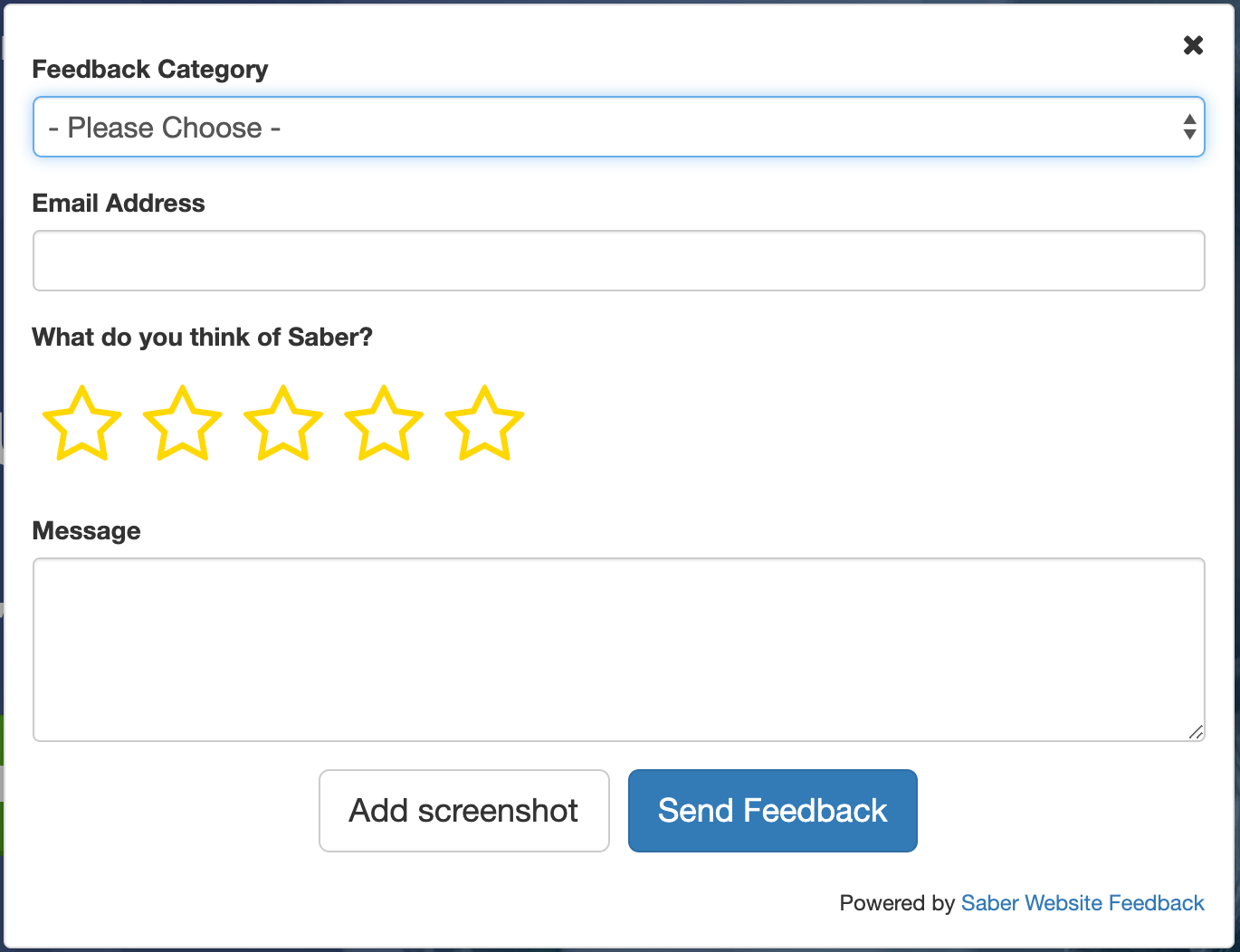 Ask your users for the feedback you need using different form types
Will Saber Feedback be a good fit for your company?
Saber Feedback suits teams that want bug reports, content corrections and usability feedback from real users without adding work. It takes a few minutes to add a feedback button to your website, and the button stays out of the way until someone needs it. It works especially well on web apps, customer portals and staging sites, where users are invested in getting things done.
Why might Saber Feedback not suit you?
Saber Feedback is deliberately simple. It doesn’t trigger surveys based on user behavior, and it doesn’t include analytics dashboards, although it does have search and export. It works on websites and web apps, not inside native mobile apps or emails.
Alternatives to Saber Feedback
If you mainly need bug reports from testers or clients, compare it with Userback, Marker.io, BugHerd and Usersnap in our guide to the best website feedback tools in 2026. We also cover visual feedback tools more generally.
2. Feature Upvote – ideas board with upvoting
Feature Upvote gives you an online board where users post suggestions and upvote the ones they want most. The most popular ideas rise to the top, so you can see what matters to your users at a glance. You can close the loop by adding status updates and comments, and boards can be public or private. Integrations include Jira, Slack, Microsoft Teams, Discord and Zapier.
Pricing: From $49/month
Free trial: Yes, 30 days, no credit card needed
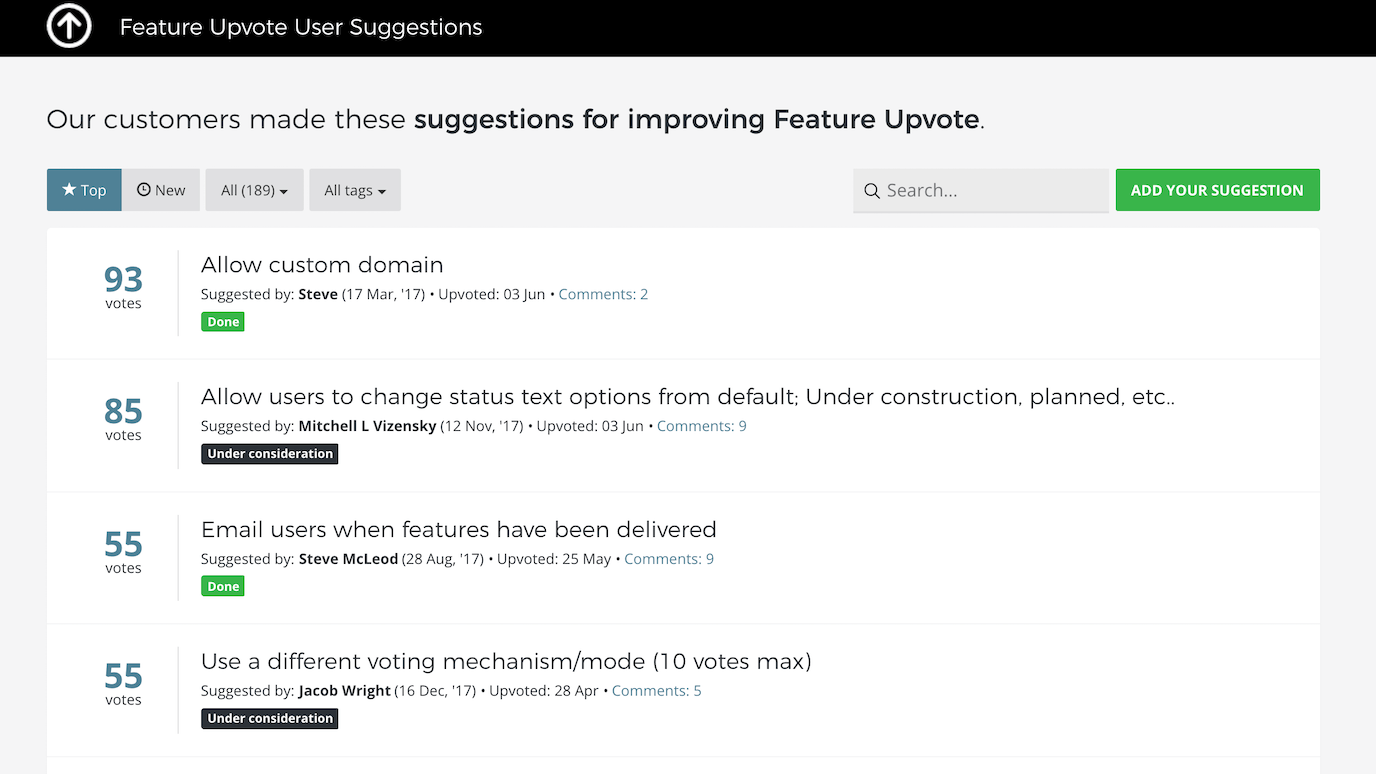 Centralise and prioritise user suggestions in one online board
Will Feature Upvote be a good fit for your company?
Feature Upvote is the right choice when you want to collect feature requests and let users help you prioritize them. Upvotes give you a clear signal about demand, and an open board shows customers that you listen.
Why might Feature Upvote not suit you?
An ideas board is built for suggestions, not bug reports or quick on-page comments. Users have to go to the board to take part, so it won’t capture problems at the moment they happen. A feedback button is better for that.
Alternatives to Feature Upvote
Other ideas board tools include UserVoice, Canny and Aha! Ideas. Here’s a comparison of Feature Upvote and UserVoice.
3. Qualaroo – targeted website surveys
Qualaroo shows short surveys, which it calls Nudges, to visitors on your website or in your app. You can target them by page, behavior or visitor type: for example, asking for pricing feedback when someone has spent time on your pricing page. It includes question templates, follow-up logic based on answers, and reporting on the results.
Pricing: Free plan; paid plans from $19.99/month billed yearly ($39.99 billed monthly)
Free trial: Free plan instead of a trial
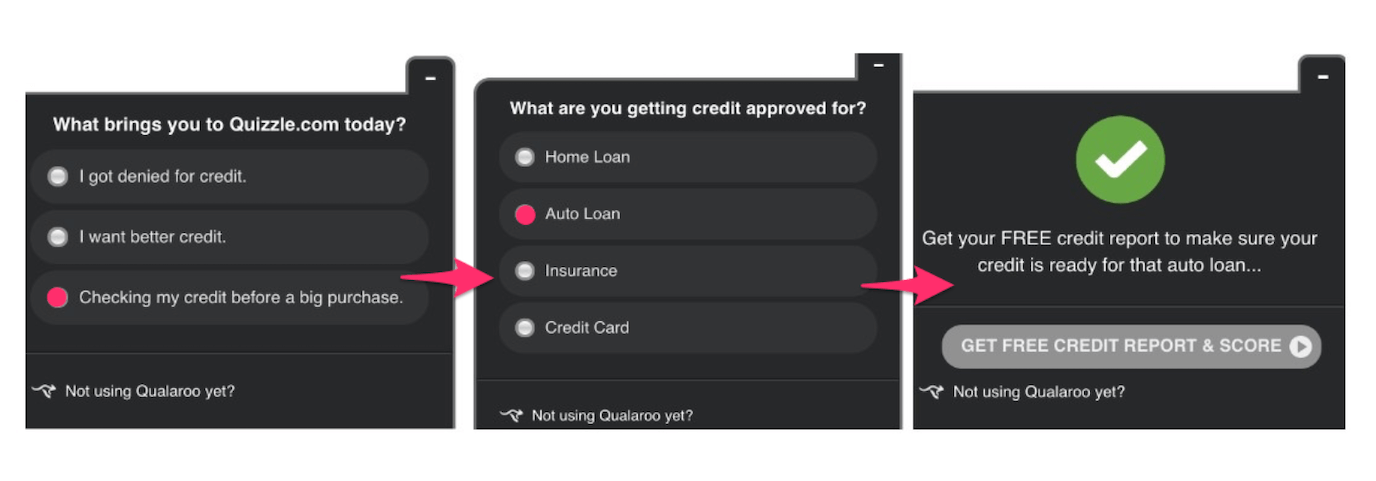 Qualaroo supports form logic so you can ask relevant follow-up questions
Will Qualaroo be a good fit for your company?
Qualaroo suits teams doing user research who want answers to specific questions from specific visitors. Asking the right person at the right moment gets more responses, and better ones, than a general survey.
Why might Qualaroo not suit you?
Targeted surveys only work as well as the questions you ask. Pop-ups that aren’t relevant, or that interrupt people mid-task, annoy visitors and get ignored. Survey tools also collect answers to your questions, not the unprompted problems users run into, so they miss bugs and broken pages.
Alternatives to Qualaroo
Other on-site survey tools include Survicate and Hotjar’s surveys.
4. Discourse – community forum (a GetSatisfaction alternative)
GetSatisfaction, once the best-known customer community tool, shut down in 2020. If you’re looking for a GetSatisfaction alternative, a community forum like Discourse does the same job: users post questions, ideas and problems in public, and other users and your team reply. Popular topics rise to the top, and good answers help the next person with the same question.
Pricing: Free and open source if you host it yourself; hosted plans are paid
Free trial: Yes, for hosted plans
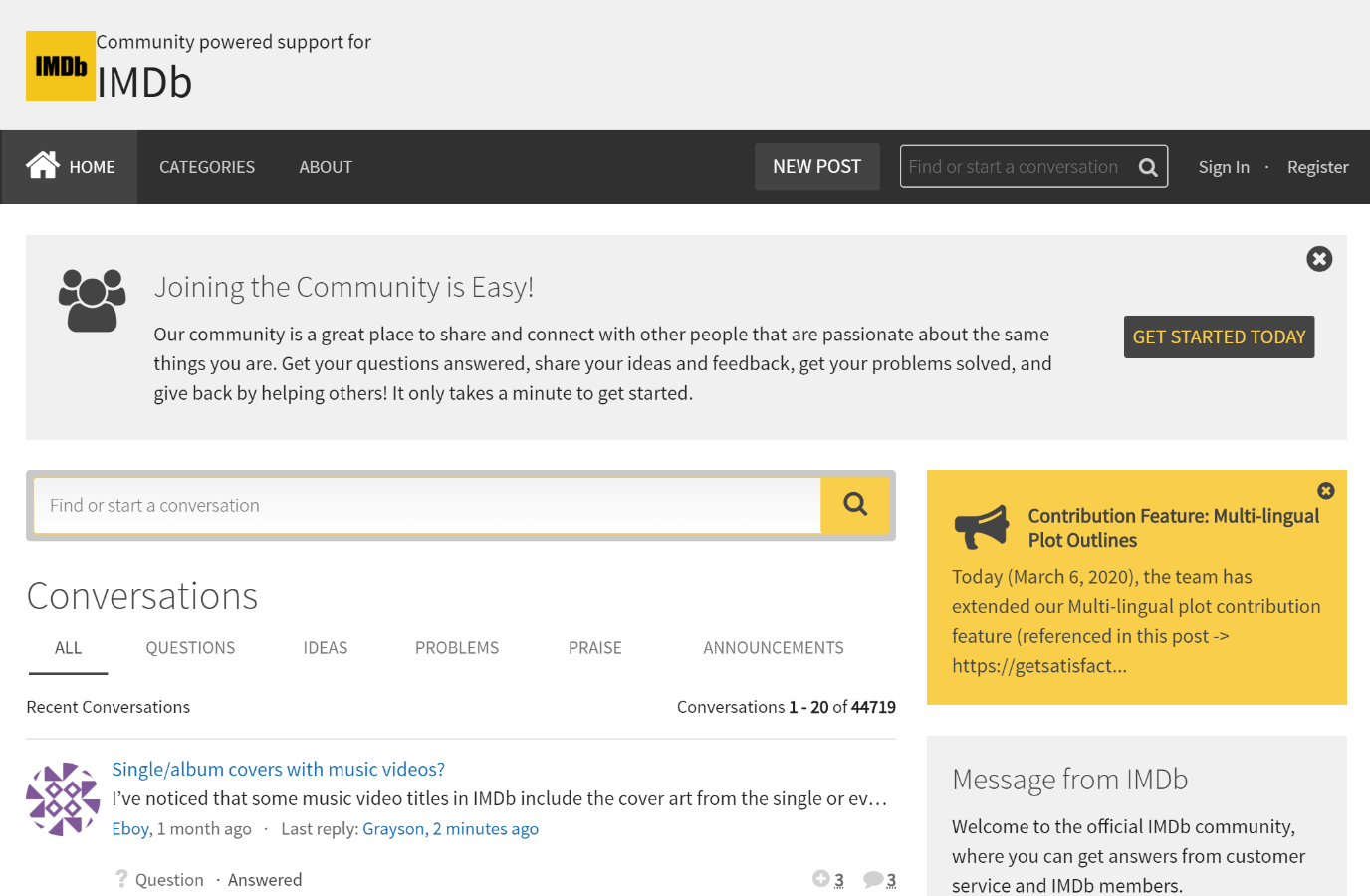 A community forum puts feedback and answers in one public place
Will a community forum be a good fit for your company?
A forum works well if you’re happy for feedback to be public and you have enough engaged users to keep conversations going. At its best, keen customers answer each other’s questions, which reduces the load on your support team and shows confidence in your product.
Why might a community forum not suit you?
Forums need ongoing moderation. They attract spam, well-meaning users sometimes post wrong answers, and quiet forums look abandoned. Feedback is also spread across threads, which makes it harder to see what to act on.
Alternatives to Discourse
Circle and Higher Logic are popular hosted community platforms. If you mainly want public feature requests rather than discussion, an ideas board like Feature Upvote is simpler to run.
5. Typeform – form and survey builder
Typeform builds well-designed forms and surveys that ask one question at a time, which feels more like a conversation than a traditional form. You can embed a form on a web page, open it from a button, or show it as a pop-up, and send responses to many other tools through its integrations.
Pricing: Free plan; paid plans from $28/month billed yearly ($39 billed monthly)
Free trial: Free plan instead of a trial
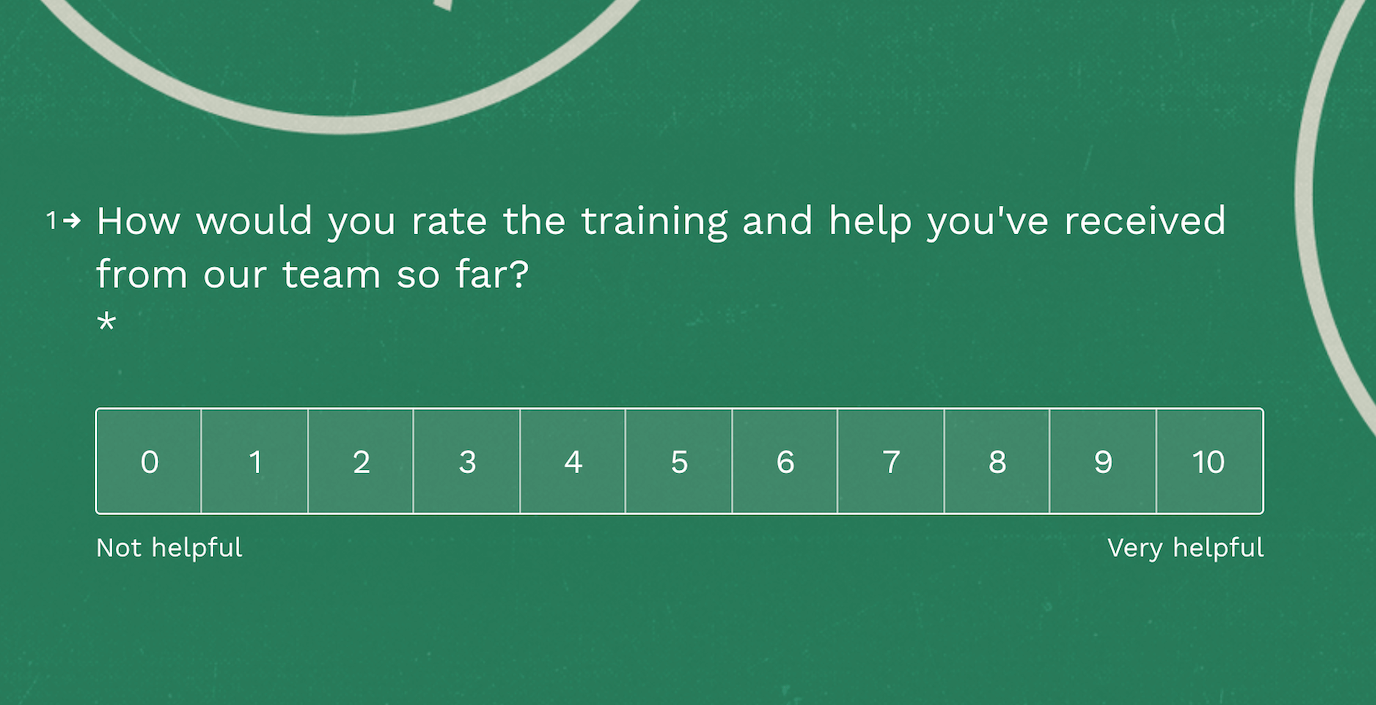 Ask for feedback using well-designed forms
Will Typeform be a good fit for your company?
Typeform is a good choice for longer surveys, such as onboarding questionnaires, customer research or post-purchase feedback, where design and completion rates matter. It works on almost any device.
Why might Typeform not suit you?
Typeform isn’t built for on-page feedback. It doesn’t capture screenshots, the page the user was on, or their browser details, so it’s a poor fit for bug reports. The free plan’s response limits are tight, and costs rise with the number of responses.
Alternatives to Typeform
Other form and survey builders include SurveyMonkey, Jotform and Tally.
6. Trustpilot – customer reviews
Trustpilot collects public reviews from your customers. It can automatically invite customers to leave a review after they buy, and you can show your rating on your site with a widget. Reviews can also feed into the star ratings Google shows in search and shopping results.
Pricing: Free plan with limited review invitations; paid plans vary, so check Trustpilot’s pricing page
Free trial: No, but there is a free plan
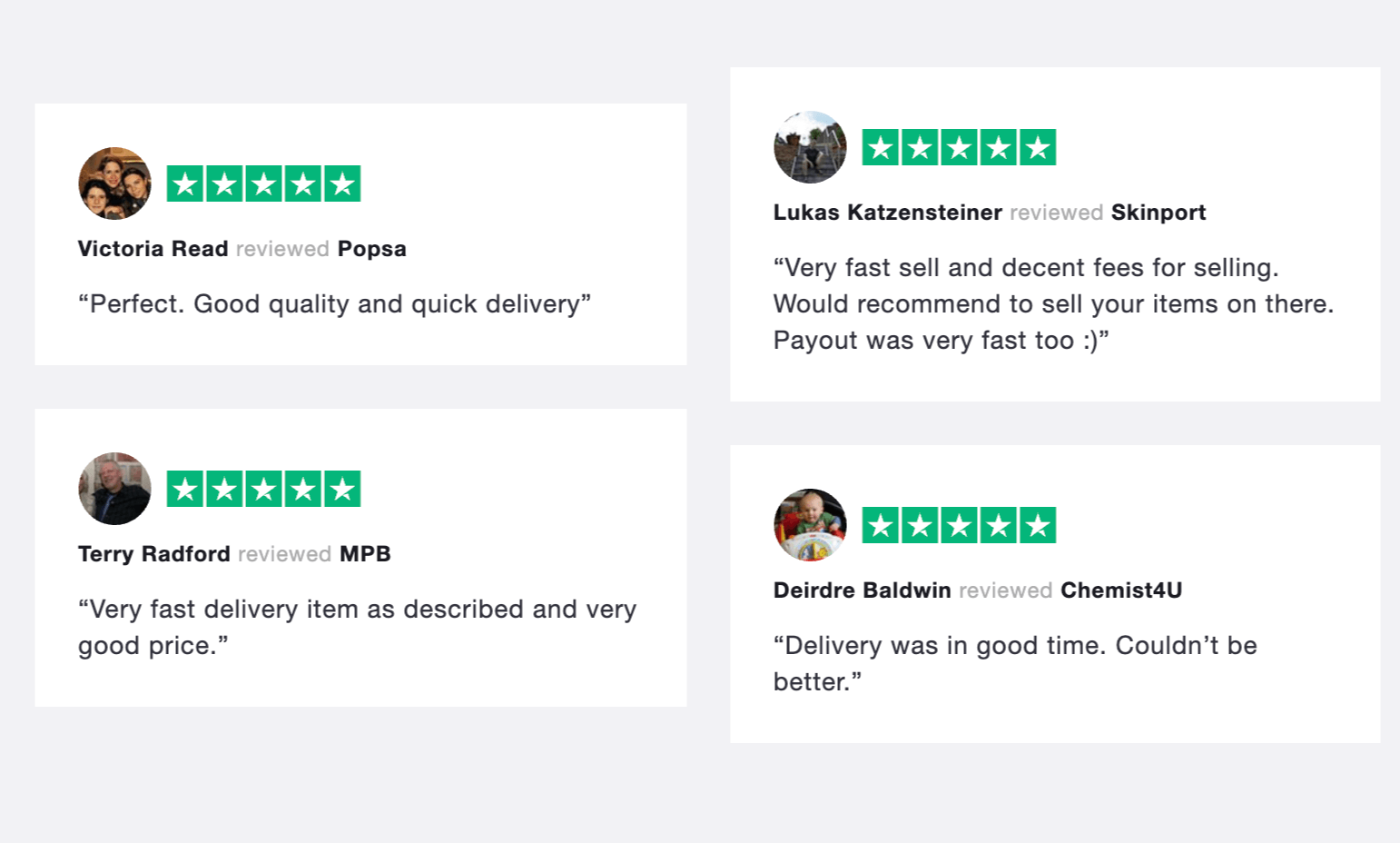 Invite reviews from your customers
Will Trustpilot be a good fit for your company?
Trustpilot suits online stores and service businesses that want reviews to build trust with new customers. Good reviews can lift sales, and even mixed ones point to problems worth fixing.
Why might Trustpilot not suit you?
Reviews are public and about your business as a whole, so they’re not the place to collect bug reports, content mistakes or usability problems. If you want to keep feedback private, choose a different type of tool.
Alternatives to Trustpilot
Other review platforms include Google Business Profile, Feefo and Reviews.io.
How to choose the right user feedback tool
Start with the kind of feedback you need, then pick the tool type that collects it:
- Bugs, broken pages and content mistakes: a feedback button with screenshots, such as Saber Feedback
- Feature requests and priorities: an ideas board, such as Feature Upvote
- Answers to specific questions: an on-site survey tool, such as Qualaroo
- Public discussion and peer support: a community forum, such as Discourse
- Longer research surveys: a form builder, such as Typeform
- Public social proof: a review platform, such as Trustpilot
Many teams combine two: a feedback button for problems users hit on the page, and an ideas board or survey for bigger questions about the product. Our guide to whether you need a user feedback tool uses real feedback rates to show how much feedback to expect for your traffic.
Try Saber Feedback free for 30 days
Saber Feedback adds a feedback button with screenshots to your website in a few minutes, and sends each report to the tools your team already uses.